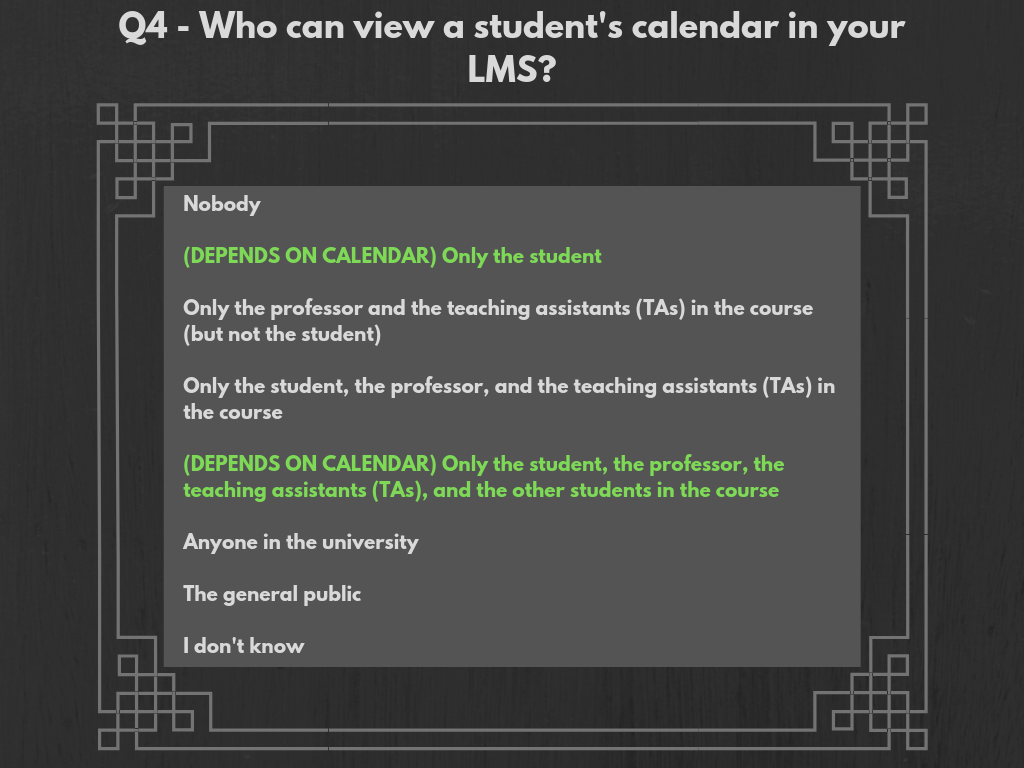
Correct answers are in accordance to interviews with top-level IT administrators at CU Boulder, UCCS, and CU Denver. Answers correspond to the LMS Canvas, and not to other systems, though the configurations of Canvas were modeled off of previously-used LMSs (D2L at CU Boulder, and Blackboard at UCCS were mentioned), so it is not out of the question to assume similar settings for different systems. Answers vary slightly across schools, but are overall very similar.
CU Boulder: Parties mentioned as having access to this data include students, instructors, TAS, graders (if applicable), course designers (if applicable), observers (if applicable), top-level IT administrators, software developers, IT service-people, and Instructure personnel.
UCCS: Parties mentioned as having access to this data include students, instructors, TAs, system administrators, and Instructure personnel.
CU Denver: Parties mentioned as having access to this data include students, instructors, TAs, IT administrators, IT sub-account administrators (only for their specific college/school), IT help-desk workers, and Instructure personnel.
Most-Correct Survey Response Choice: There are two correct answers to this question, as there are two, distinct calendars; one, being the course calendar, which has more open-access, and the other being a student’s personal calendar, which is available only to the student (and to top-level administrators, as well as Instructure personnel). The two best answer choices are “only the student”, as well as “only the student, the professor, the teaching assistants (TAs), and the other students in the course.”
 CU LMS Privacy Survey Data Visualizations