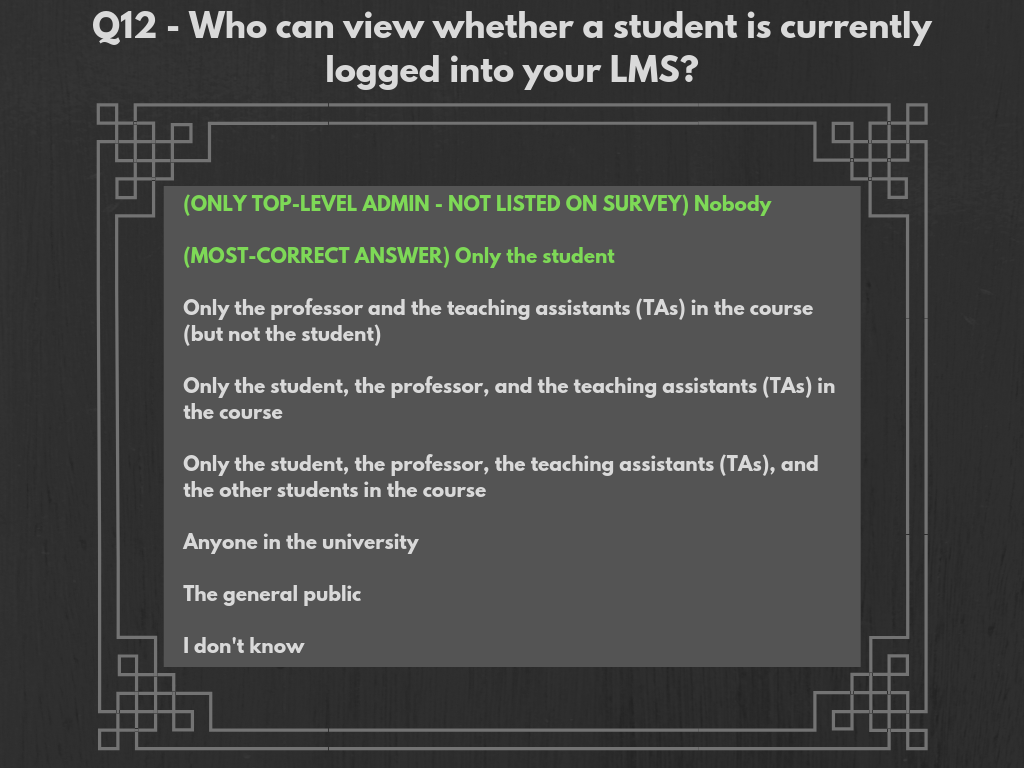
Correct answers are in accordance to interviews with top-level IT administrators at CU Boulder, UCCS, and CU Denver. Answers correspond to the LMS Canvas, and not to other systems, though the configurations of Canvas were modeled off of previously-used LMSs (D2L at CU Boulder, and Blackboard at UCCS were mentioned), so it is not out of the question to assume similar settings for different systems. Answers vary slightly across schools, but are overall very similar.
CU Boulder: Parties mentioned as having access to this data include the student (can obviously tell that they are logged into the LMS), top-level IT administrators, and Instructure personnel.
UCCS: Parties mentioned as having access to this data include system administrators and Instructure personnel. Students are not mentioned, but this is a given. The interviewee gave another condition which could arise if the chat feature on Canvas is turned on for a class. People using the chat function are able to see if anybody else using the same function (chatrooms are course-specific) is online. This feature is disabled on most of UCCS’s course templates.
CU Denver: Parties mentioned as having access to this data include IT administrators, IT sub-account administrators (only for their specific college/school), and IT help-desk workers. The interviewee also mentioned the fact that instructors are able to see the last time of a student’s activity on the LMS, so they could determine if a student were online if they got lucky with their timing.
Most-Correct Survey Response Choice: There are two correct response choices for this item. Because the only parties that have true access to this information are not listed in the survey items, “nobody” is a viable answer choice. “Only the student” could also be considered to be correct, because students are obviously able to tell if/when they are logged into a LMS.
 CU LMS Privacy Survey Data Visualizations